
A fully offline, single-file HTML toolbox that bundles common developer utilities: JSON parsing, Base64 encode/decode (text & image), URL encode/decode, QR code generation, and image compression. No…
External links
OfflineJsonKit
A fully offline, single-file HTML toolbox that bundles common developer utilities: JSON parsing, Base64 encode/decode (text & image), URL encode/decode, QR code generation, and image compression. No deployment, no server required — just open in browser and go.
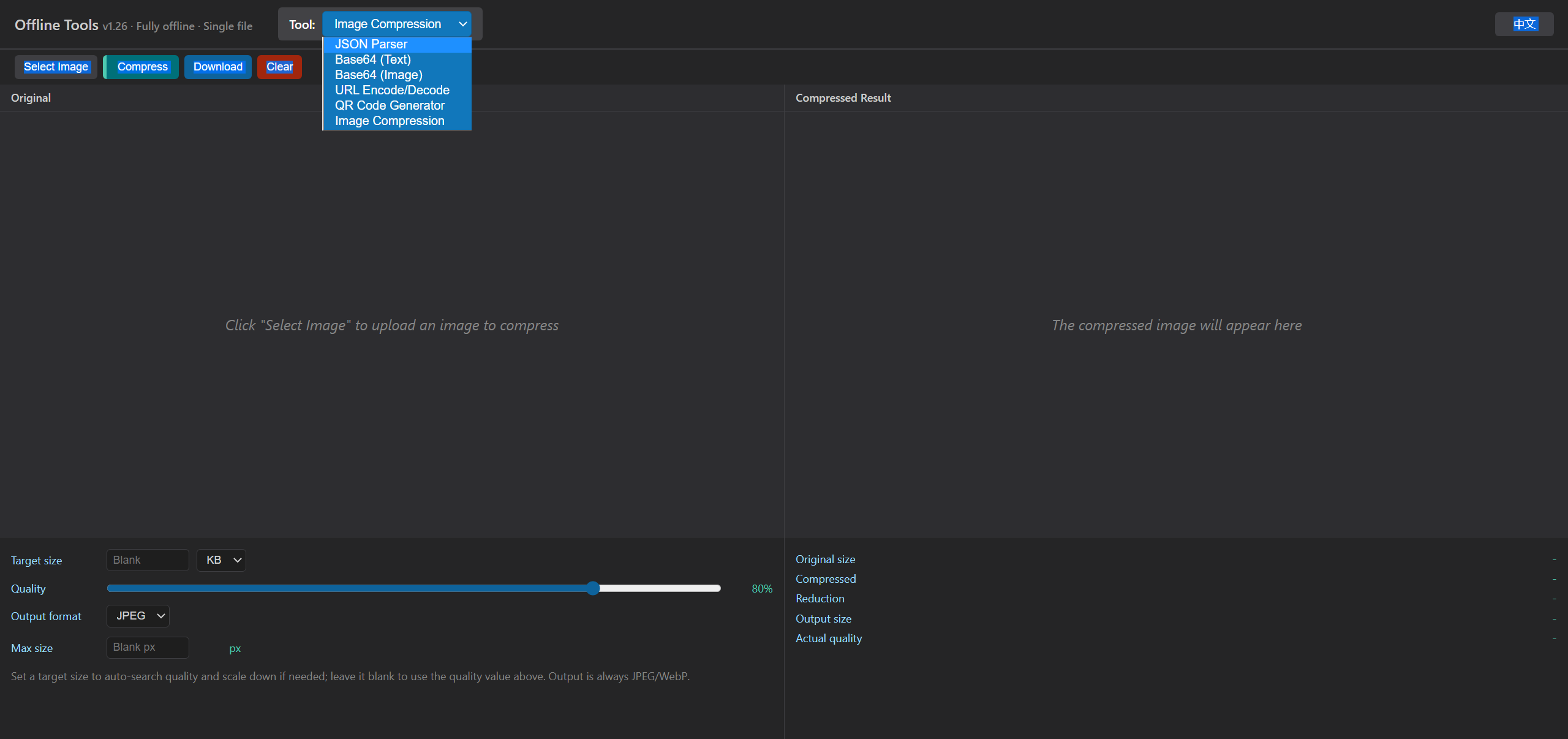
Preview
Features
📝 JSON Parser
- Format and prettify JSON
- Minify JSON
- Syntax-highlighted output
- Collapsible nodes
- Clear input and copy results with one click
- Dark theme UI
🔄 Encoding Conversion
- Base64 text encode/decode
- URL encode/decode
- Image ↔ Base64 conversion
- Upload local images and convert them to Base64
- Paste Base64 and preview images
- Copy Base64 results with one click
📱 QR Code Generator
- Generate QR codes offline from any text or link
- Works fully offline with no network requests
- Download QR codes as PNG images
- Adds a white quiet zone to improve scan reliability
🗜️ Image Compression
- Compress images fully offline, similar to TinyPNG / Squoosh, with no server upload
- Target-size mode: set a target size (KB/MB) and it auto-searches quality and scales down if needed
- Quality-slider mode: manually adjust the compression quality and see the resulting size in real time
- Output as JPEG / WebP, with an optional max width/height limit
- Shows original size, compressed size and reduction ratio, with one-click download
🌐 Bilingual UI
- Automatically selects Chinese or English based on browser language
- Chinese browsers default to Chinese; other browser languages default to English
- Manual language switching is persisted with
localStorage
💾 Local Storage
- Uses browser
localStorageto save the language preference - Input auto-save is currently disabled, so refreshing the page does not restore previous input
📦 Project Structure
json_parsing/
├── index.html              # Core application file (single HTML, ~90KB)
├── vercel.json             # Vercel deployment config
├── README.md               # Chinese documentation
├── README.en.md            # English documentation
├── VERSION.md              # Version history (v1.0 ~ v1.26)
├── LICENSE                 # License
├── README.assets/          # Chinese README screenshots
│   └── screenshot-zh.png
└── README.en.assets/       # English README screenshots
    └── screenshot-en.png
🚀 Quick Start
Option 1: Local Use (Recommended)
Open index.html directly in your browser. No installation required.
# Clone the project
git clone https://github.com/user/json_parsing.git
cd json_parsing

# Open in browser
open index.html        # macOS
start index.html       # Windows
xdg-open index.html    # Linux
Option 2: Deploy to Vercel
The project includes vercel.json for easy deployment to Vercel static hosting.
# Install Vercel CLI
npm i -g vercel

# Deploy
vercel
🛠️ Tech Stack
| Layer | Technology |
|---|---|
| Frontend | Single HTML file, embedded CSS + JavaScript |
| QR Code | Embedded qrcodejs library (with Reed-Solomon error correction) |
| Image Compression | Canvas native encoding |
| i18n | Custom lightweight implementation, navigator.language + localStorage |
| Storage | Browser localStorage |
| Deployment | Vercel static site |
Changelog
See VERSION.md for detailed version history.
Current version: v1.26 (2026-06-19)
Highlights
- ✨ Single file, zero dependencies, fully offline
- 🎨 Clean and compact dark theme UI
- 🔒 Privacy-friendly: data is not uploaded to any server
- 🚀 Fast response and local processing
- 🌐 Chinese/English bilingual support
- 📱 QR codes generated completely offline