A fully offline PDF processing Web tool — single file, zero installation. Integrates PDF preview, merge, split, extract, compress, watermark, delete pages, rotate, image-to-PDF and more. All…
External links
PDF Toolbox
A fully offline PDF processing Web tool — single file, zero installation. Integrates PDF preview, merge, split, extract, compress, watermark, delete pages, rotate, image-to-PDF and more. All processing is done locally in the browser, keeping your files private and secure.
Preview
Features
🔀 Merge PDF
- Select multiple PDF files and merge them into a single document
✂️ Split PDF
- Split each page into individual files
- Split by custom page ranges
📄 Extract Pages
- Extract specific pages from a PDF into a new file
🗜️ Compress PDF
- Low / Medium / High quality presets
- Ideal for scanned documents and image-based PDFs
🖼️ Image to PDF
- Supports PNG, JPEG, WebP formats
- Each image becomes a PDF page
👁️ Preview PDF
- Embed a native PDF viewer directly in the browser
❌ Delete Pages
- Remove specific pages by page number
🔄 Rotate Pages
- Supports 90°, 180°, 270° rotation
- Apply to specific pages or all pages
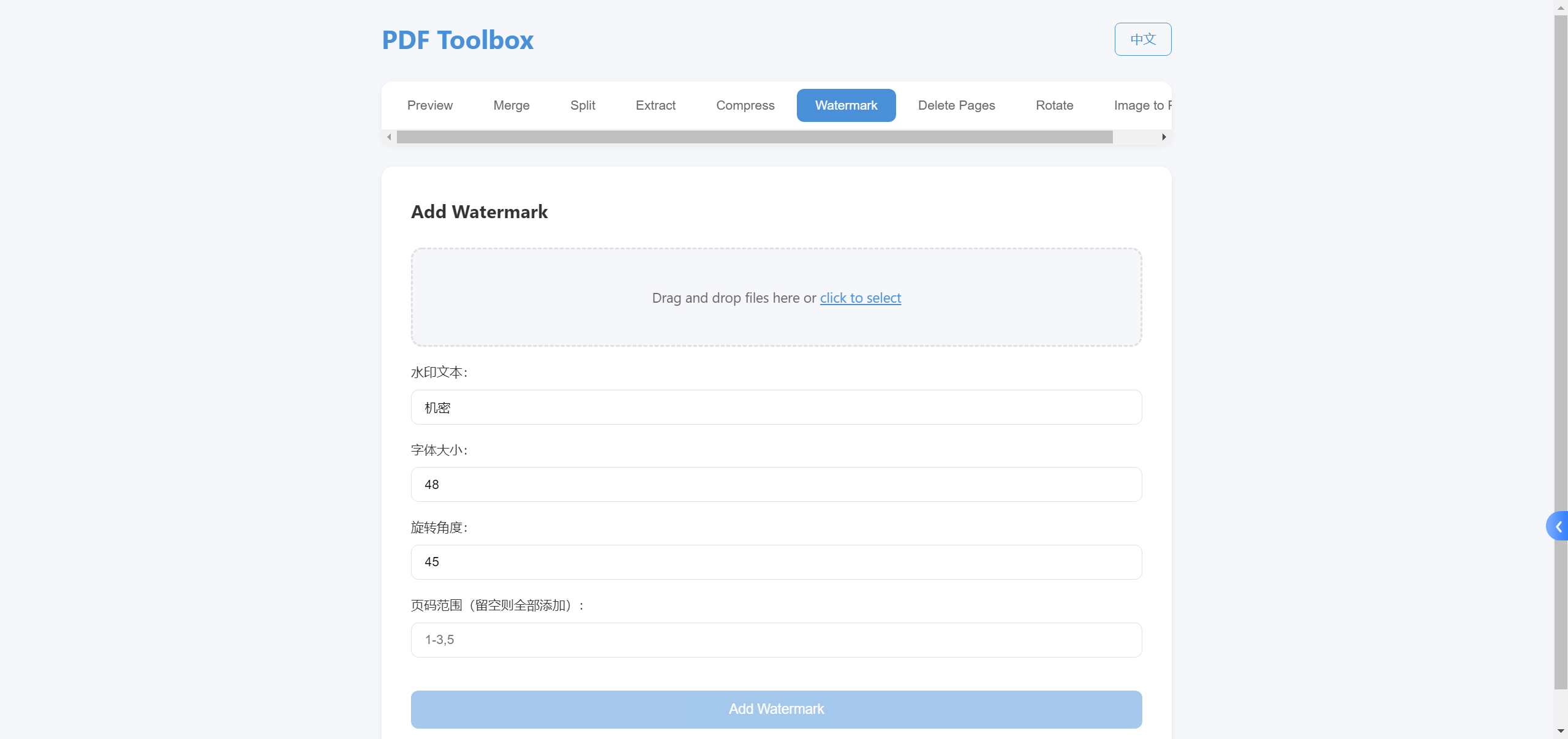
💧 Add Watermark
- Custom text, font size, and color
- Supports rotation angle and page range
📦 Project Structure
PDF-Toolbox/
├── index.html              # Main page, tab-based feature switching
├── css/
│   └── style.css           # Global styles (CSS variables + responsive layout)
├── js/
│   ├── app.js              # Core business logic (9 PDF functions)
│   └── i18n.js             # Chinese/English i18n module
├── README.md               # Chinese documentation
├── README.en.md            # English documentation
├── README.assets/          # Chinese screenshots
├── README.en.assets/       # English screenshots
├── LICENSE                 # MIT
└── .gitignore
Usage
Open index.html in your browser — no installation or deployment needed.
# Option 1: Double-click index.html to open
# Option 2: Local server (recommended, avoids CORS issues)
python -m http.server 8080
# Visit http://localhost:8080
Tech Stack
| Technology | Purpose |
|---|---|
| HTML5 + CSS3 + JavaScript | Vanilla development, no framework |
| pdf-lib | PDF creation and editing |
| pdf.js | PDF rendering and preview |
| Canvas API | Image downsampling for compression |
Notes
- All operations are performed locally — no files are uploaded to any server
- Chrome / Edge latest version recommended for the best experience
- Compression works best on scanned/image-based PDFs
Highlights
- ✨ Fully offline, no internet required
- 🔒 Private & secure, no server uploads
- 🌍 Bilingual UI, auto-detects browser language
- 📦 Single file, zero-dependency deployment
- 🆓 MIT licensed