
A fully offline, single-file, browser-based random password generator featuring custom password length, character type selection, excluded characters, custom special symbols, weak-password keyword…
External links
Offline Random Password Generator
A fully offline, single-file, browser-based random password generator featuring custom password length, character type selection, excluded characters, custom special symbols, weak-password keyword blocking, batch generation, one-click copy, and bilingual UI — all powered by the browser's
crypto.getRandomValuesfor cryptographically secure randomness. Every password is generated locally; no data ever leaves the browser.
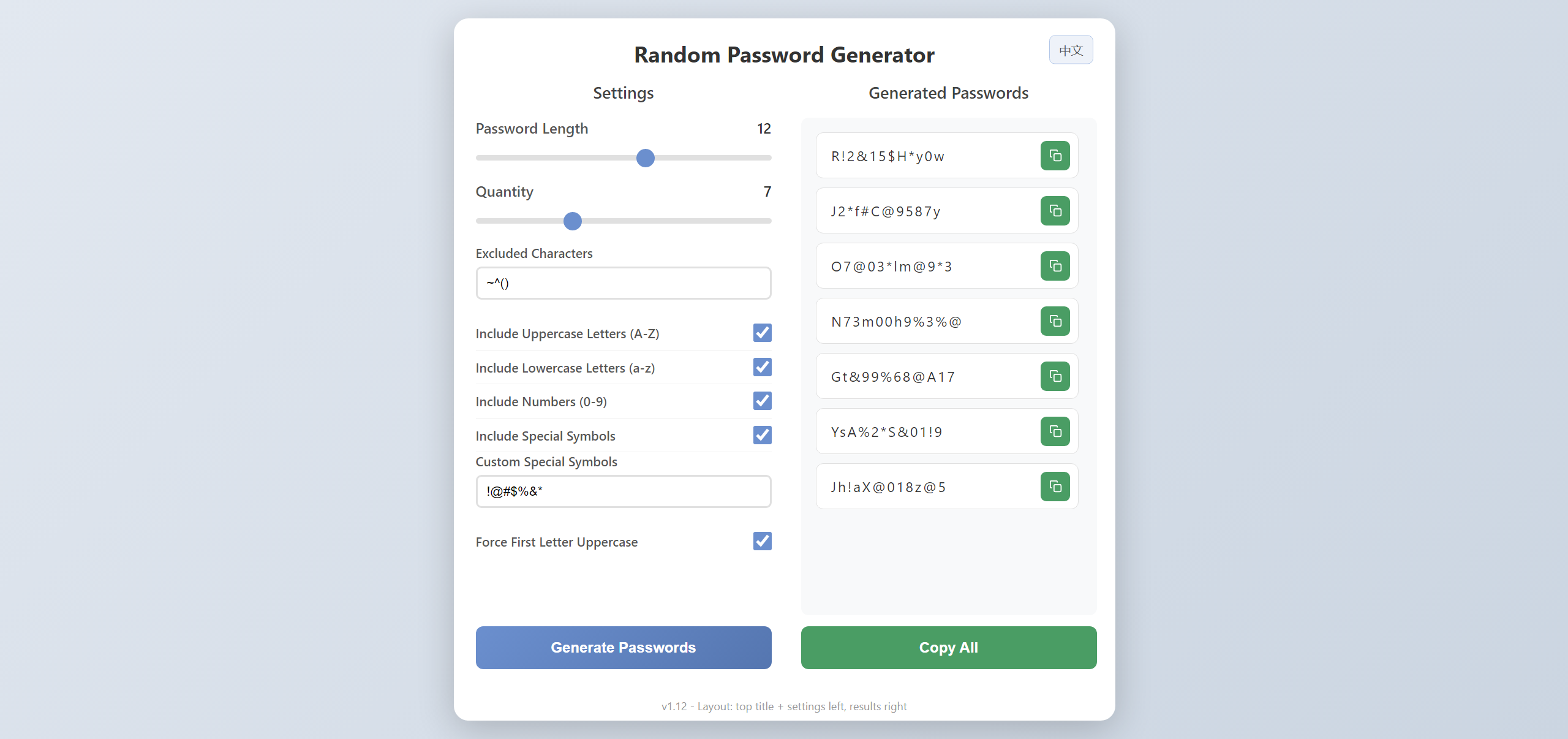
Preview
Features
🔐 Password Generation Core
- Custom password length (1–20 characters)
- Generate 1–20 passwords at once
- Uses
crypto.getRandomValuesfor cryptographically secure randomness with rejection sampling to avoid modulo bias
🎛️ Password Rules
- Character type selection: uppercase letters, lowercase letters, digits, and special symbols
- Force first letter uppercase: the first character excludes the ambiguous letter
Ito avoid confusion with digit1and lowercasei - Custom excluded characters: specify any characters you don't want — defaults to
~^() - Custom special symbols: specify exactly which symbols to use — defaults to
!@#$%&* - Weak-password keyword blocking: over 30 common weak-password words are blocked by default, including
admin,pass,root,123456, etc.
🧠 Smart Rules
- Each selected character type accounts for at least 25% of the final password, ensuring complexity
- No consecutive special symbols to improve security
- Characters are shuffled after generation for an even random distribution
🖱️ Copy & Interaction
- Per-password copy button with grey confirmation feedback
- Copy-all button for batch copy, passwords separated by newlines
- Two-column layout with independently scrollable password list
🌐 Bilingual UI
- Automatically displays Chinese or English based on browser language
- Chinese browsers default to Chinese; non-Chinese browser languages default to English
- Manual language switching is persisted via
localStorage
💾 Settings Persistence
- All settings are auto-saved after each password generation
- Settings are restored automatically when you reopen the page
- Built-in 5MB localStorage quota protection
🔖 Tab Icon
- Inline lock-shaped SVG favicon that matches the page's gradient theme
- Makes the browser tab easy to identify
Usage
Open password-generator.html directly in a browser. No deployment or server is required; everything runs offline.
Changelog
See VERSIONS.md for detailed version history.
Highlights
- ✨ Single file, no dependencies, fully offline
- 🎨 Clean, modern gradient UI
- 🔒 Privacy-first: passwords are generated locally and never uploaded
- 🛡️ Smart rules ensure password complexity
- 💾 Settings auto-saved, ready to use on next visit
- 🌐 Bilingual Chinese/English with automatic browser language detection